From the chat
Run a creator campaign from the chat you already use.
In Claude, ChatGPT, Cursor, or Codex, launch a campaign from a product URL, find creators, and ask how it’s doing. Emails can go out once you approve them, or stay in draft until you send them.
First campaign free. Launch is $69/mo with 100 Optic leads. Media budgets are separate from the subscription.
 Claude · VerzaConnected via MCP · api.tryverza.com
Launch a creator campaign for this product: https:/
Verza
Drafted the brief from the site and ran Optic on TikTok, Instagram, and YouTube. First hellos are ready — each creator gets their own link and code so you can see who sold.
- Maya Chen@maya.glam · TikTok · Serum texture reviews92
- Jordan Hale@jordanhale · Instagram · Everyday skincare routines88
- Priya Shah@priya.skin · YouTube · Ingredient breakdowns85
Say it like this
Ask the way you would ask a teammate.
- “Launch a creator campaign for this product: https://yourstore.com/products/serum”
- “Find creators for this product: https://yourstore.com/products/serum”
- “Send the emails once I approve them.”
- “Leave the first emails in draft.”
- “What’s the status of this campaign?”
- “What’s our ROAS for this campaign?”
In the chat
Launch, find, send, and check in.
Optic
“Find creators for this product: https://yourstore.com/products/serum”
Search Instagram, TikTok, YouTube, Facebook, and Twitch for creators who fit the product. Creators can still apply.
Read OpticVault
“Send the emails once I approve them.”
Verza writes the first email. Once you approve it, Verza can send it — or leave it in Gmail as a draft until you send it yourself.
Read VaultAttribution
“What’s our ROAS for this campaign?”
Every creator gets a unique link and a unique discount code. Ask for ROAS, or ask for the status of the campaign.
Read AttributionHow it works
From a product URL to a number you can ask for.
- 01
Launch it from a product URL
Paste the product page and ask Verza to launch a creator campaign. You review it first. Nothing goes live until you approve it, and you fund a paid campaign yourself.
- 02
Find the creators
Ask Verza to find creators for that product. Matches come back with scores. Creators can still apply.
- 03
Send the emails, or leave them in draft
Once you approve, Verza can send the first emails. Or leave them in Gmail as drafts and send them yourself.
- 04
Ask how it’s doing
Ask for the status of the campaign, or ask for ROAS. Each creator’s link and code sit next to the orders on Shopify and WooCommerce. Creators are paid on Verza.
The web app
The same profile, if you open the app.
Match, audience, and activity sit on the creator before they join a campaign. Launch includes 100 Optic leads a month. The chat is where you ask. The app is the other way in.
Optic, in detail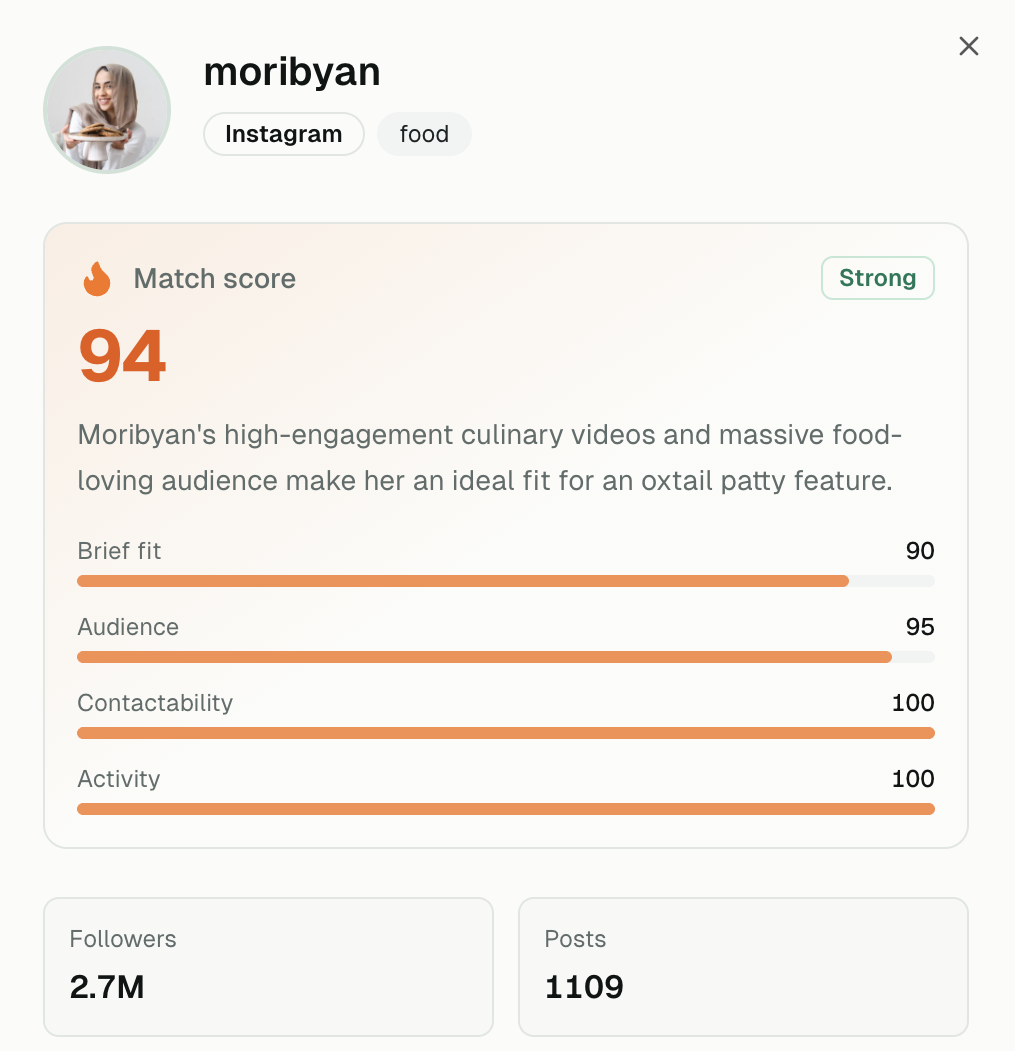
Receipts
Already on Verza.

Struthless
1M+ subscribers · Independent creator
The Center for AI Safety funded a $5,000 production grant through Verza to back editorial content with Struthless. Capital routed, content funded, campaign settled — no Net-60.

“I treat my content like a business, so I can't be waiting on Net-60 terms. Verza acted like my agent and got me paid in 14 days. It's a total game-changer for my cash flow.”
“Verza streamlined our entire invoicing and payment process. What used to take hours of manual work now happens automatically. It saved us countless hours and improved our relationships with talent.”
Organizations funding creators on Verza


Your channels
When they click through, your profiles should look alive.
A creator campaign brings the visit. Prism keeps your own channels posting in your voice — LinkedIn, X, Instagram, and TikTok — so the profile they open is active and on-brand. You set the brand once. Your team approves what goes out.
Read Prism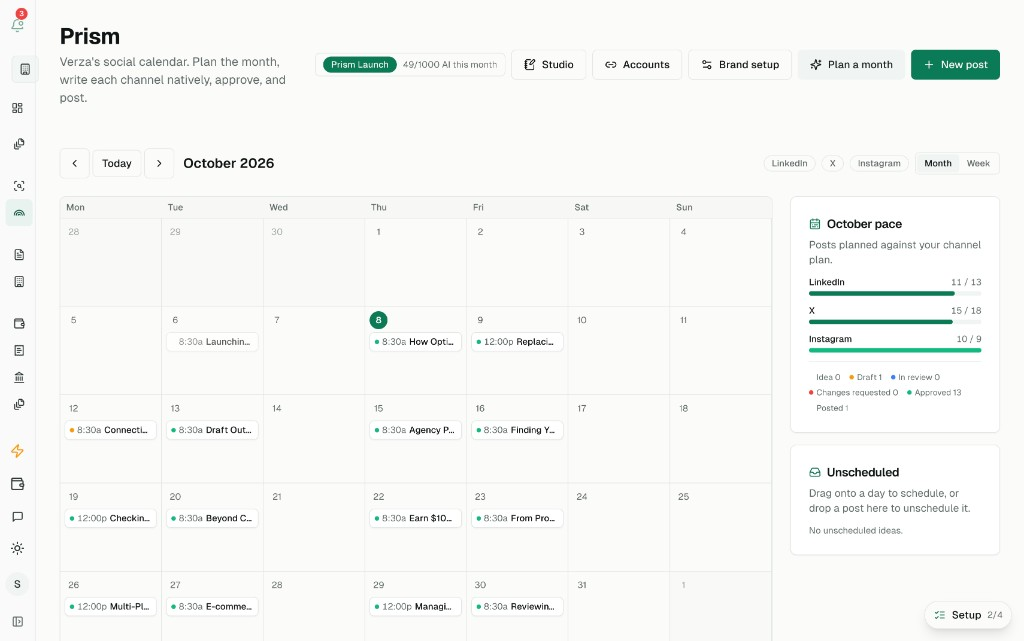
Pricing
First campaign free. Launch is $69/mo.
Media budgets for creator payouts stay separate from the subscription.
Full pricing- First campaign
- Free/One live campaign to start
- Launch
- $69/mo/100 Optic leads
- Enterprise
- Custom/3,500 Optic leads
- Flagship
- Custom/8,000 Optic leads
Notes
How it runs
- NoteBrands are still operating like it’s the pre-AI eraAI and the creator economy are both growing. The teams that don’t adapt fast will be left behind.
- NoteLaunch a creator campaign from a product URLPaste the product page. Verza drafts the campaign. Nothing goes live until you approve it.
- NoteSend the emails, or leave them in draftVerza writes the first email. You decide whether it sends once you approve it, or waits in Gmail.
- NoteAsk for status, and ask for ROASEach creator gets a link and a code. Then you can ask how the campaign is doing.
Questions